Lead with unreconciled cash
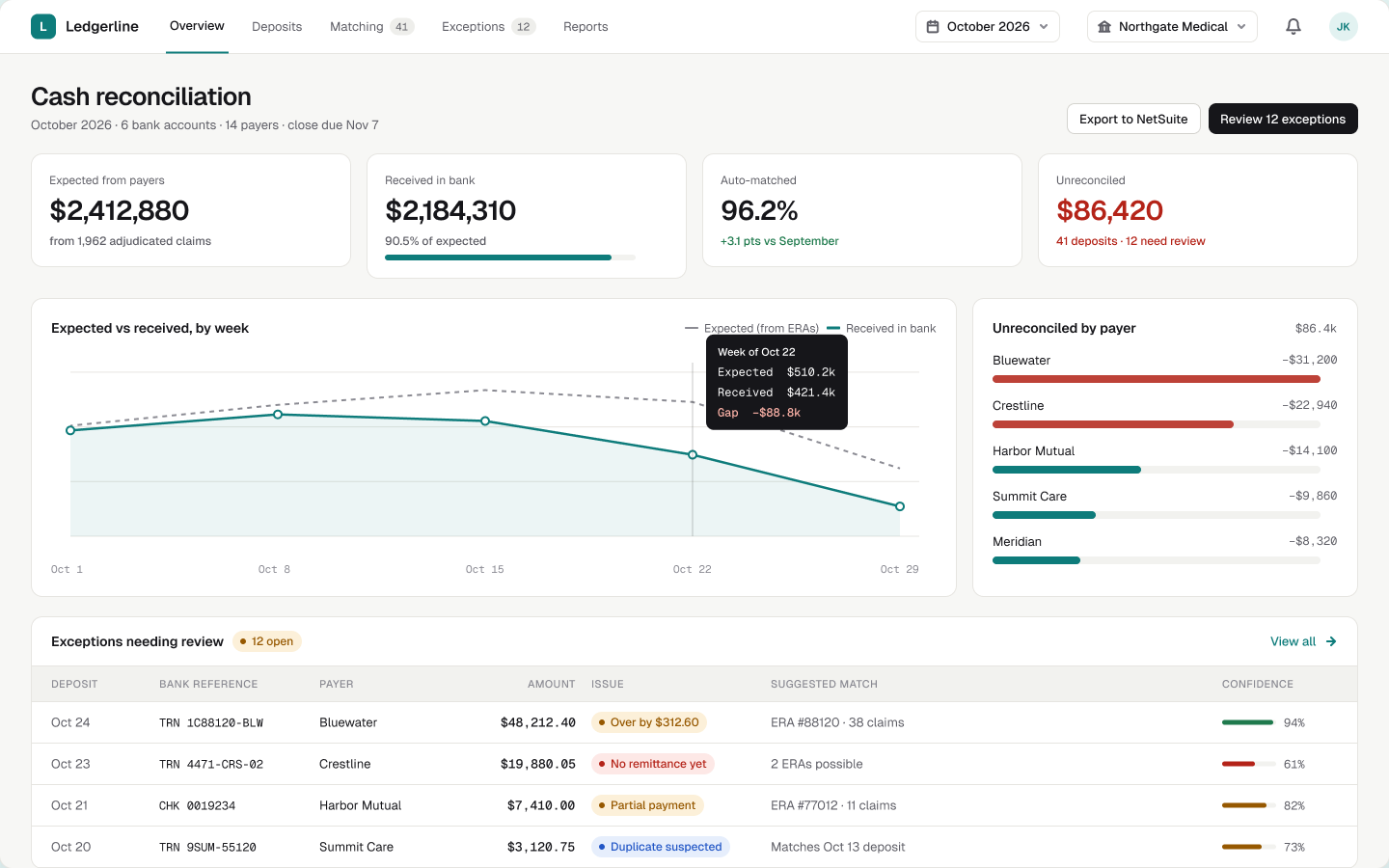
At month end the only number that blocks closing is what’s still unexplained. It gets the strongest weight and the only red on the page.
Considered insteadLeading with total received — reassuring, but not actionable.
Concept study · self-initiated · 2026
A finance workspace that matches insurer payments hitting the bank to the claims they pay for — and explains every cent that doesn’t line up.
This is a self-initiated concept. The product, organisations and data are fictional; the design problems are real.
Context
Insurers pay in bulk: one deposit can cover 40 claims, arrive before the file that explains it and differ by a few dollars. Finance teams reconcile it in spreadsheets, and month-end close slips while they chase cents.
If the system shows its reasoning — confidence, evidence and history — accountants will let it handle the routine work and focus on the exceptions.
Sit with a cash-posting team during month-end close, then test whether they accept or redo proposed matches in a prototype with anonymised data.
Journey
Numbers refer to the chapters below. Most deposits never need a person. The design effort goes into the few that do — and into proving what happened afterwards.
Answer the question finance asks first: how much cash is still unexplained?
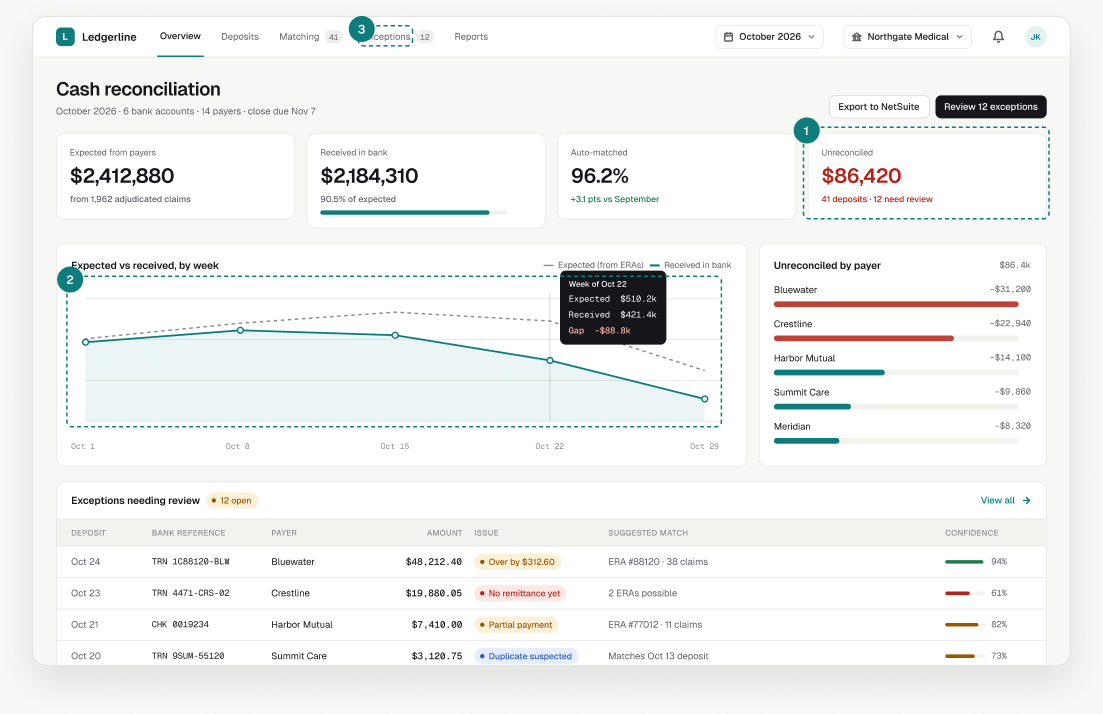
At month end the only number that blocks closing is what’s still unexplained. It gets the strongest weight and the only red on the page.
Considered insteadLeading with total received — reassuring, but not actionable.
A dashed “expected” line built from remittances makes the gap visible week by week; hovering shows the shortfall.
Each exception shows the issue, the suggested match and how sure the system is.
Show every bank credit and how far along it is, without opening it.
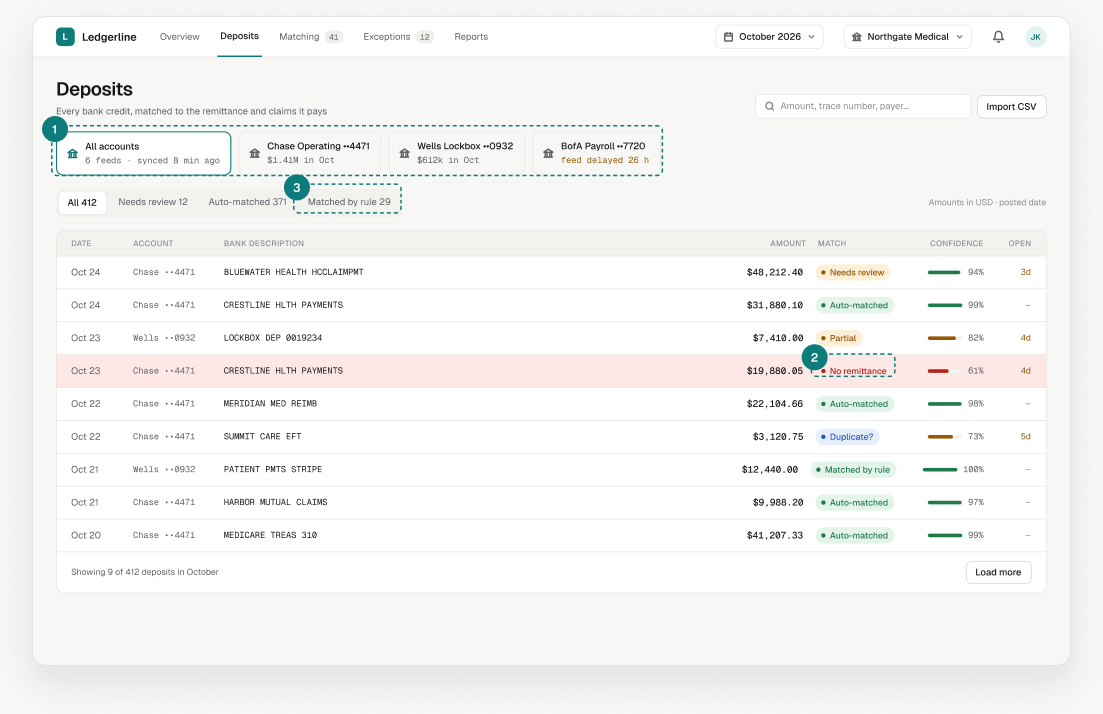
A delayed bank feed makes totals wrong without looking wrong, so staleness is shown where people pick the account.
A label plus a small bar separate “done”, “check” and “investigate” at a glance.
Rules follow a decision a person already made; auto-matches are the system’s guess. Mixing them would blur what to trust.
Considered insteadOne combined “Matched” status.
Turn a discrepancy into an accounting decision in one screen.
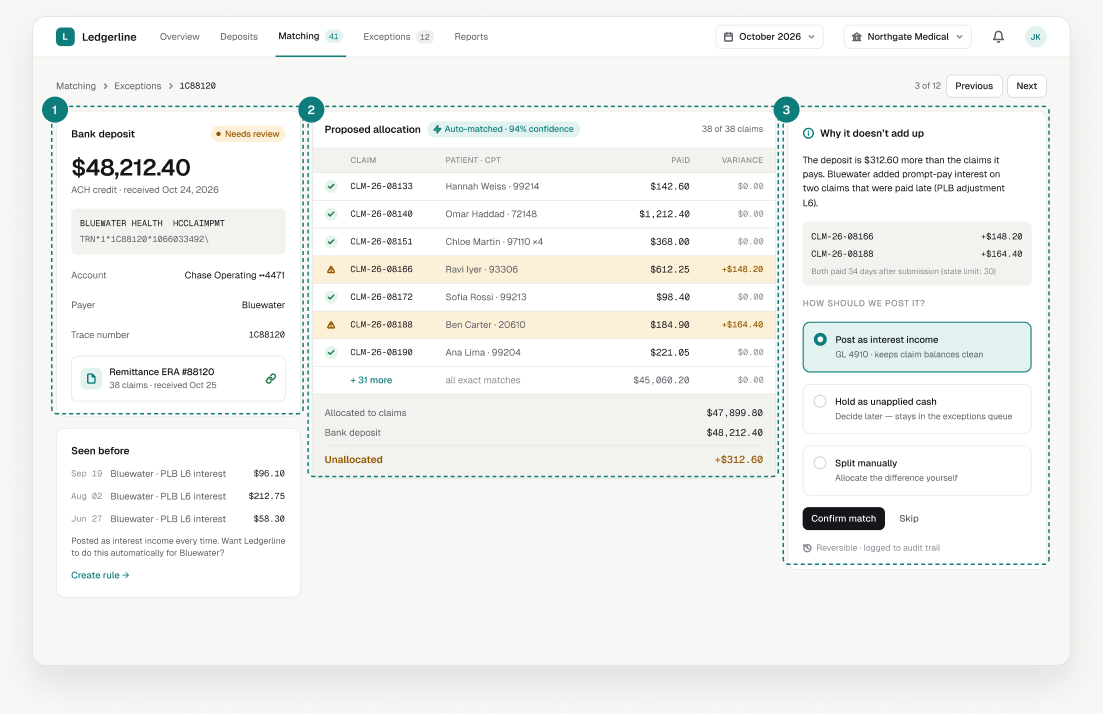
Accountants trust what the bank actually sent, so the original description and trace number are shown verbatim.
Claims with variance are highlighted and totals sit at the bottom, so the gap is obvious before any explanation.
The cause comes first, then three postings with their accounting consequence. The default is the most common choice, never an automatic one.
Considered insteadAuto-posting the difference — fast, but unsafe without review.
Let people teach the system, safely.
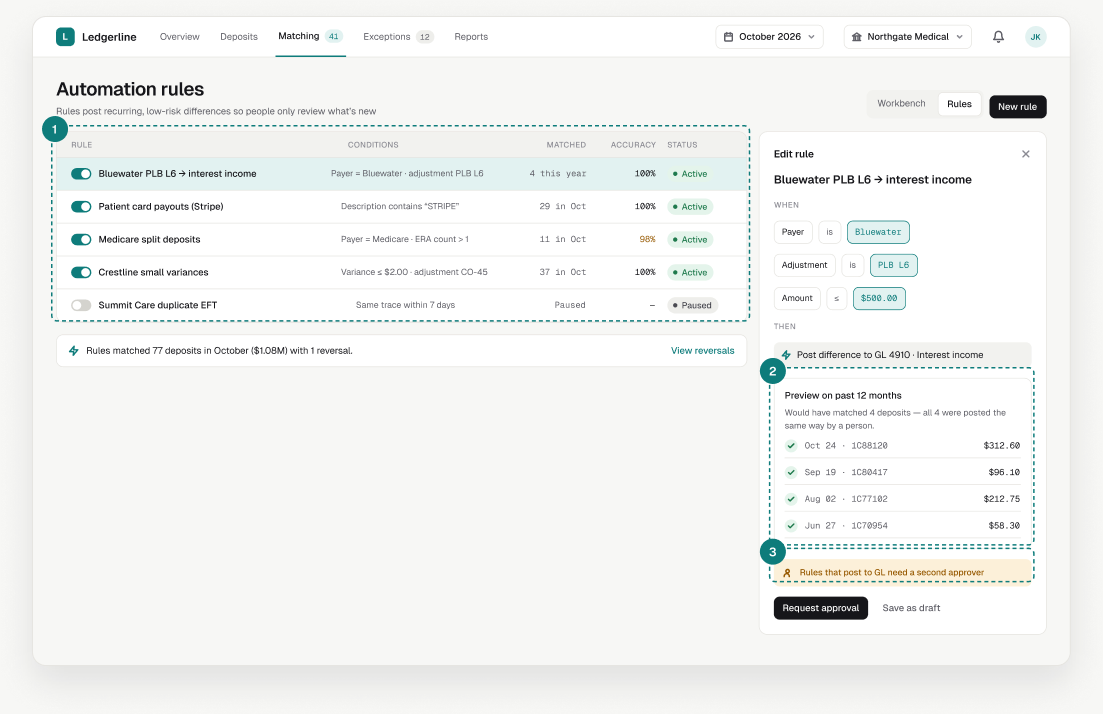
The workbench suggests a rule after the same manual posting happens several times.
A rule shows which past deposits it would have matched and whether a person did the same.
Rules that create journal entries need four eyes — the same control auditors expect for manual entries.
Make “are we ready to close?” a yes/no question with reasons.
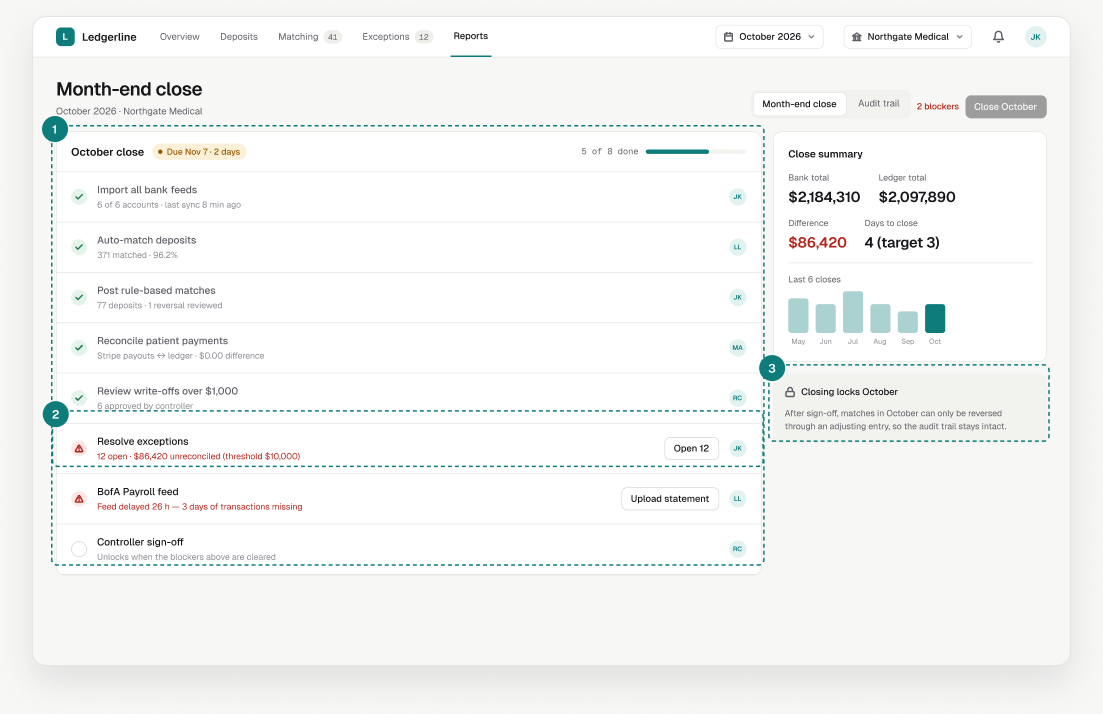
Tasks complete themselves when the work is done — no manual ticking that drifts from reality.
“12 open · $86,420 (threshold $10,000)” tells the controller exactly what stands between the team and sign-off.
Closing changes how corrections work; saying so up front prevents panic edits after sign-off.
Considered insteadA confirmation dialog at the moment of closing.
Show auditors who did what, when and why — people and automation alike.
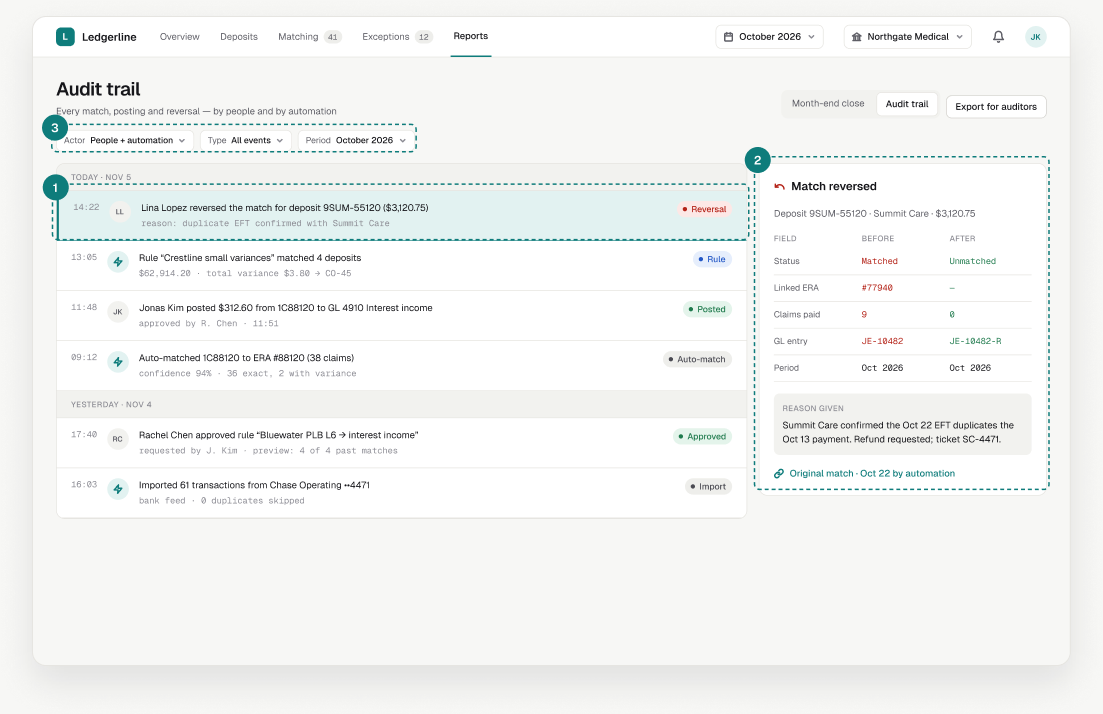
A lightning mark identifies system actions and initials identify people, so every change has a visible author.
Reversals show exactly which fields changed, the journal entry created and the reason given.
“Everything automation did in October” or “all reversals” are one filter away, and exportable.
First run, stale data, four-eyes approval and reversals: the moments where money could be posted wrong, designed to slow people down only when it matters.
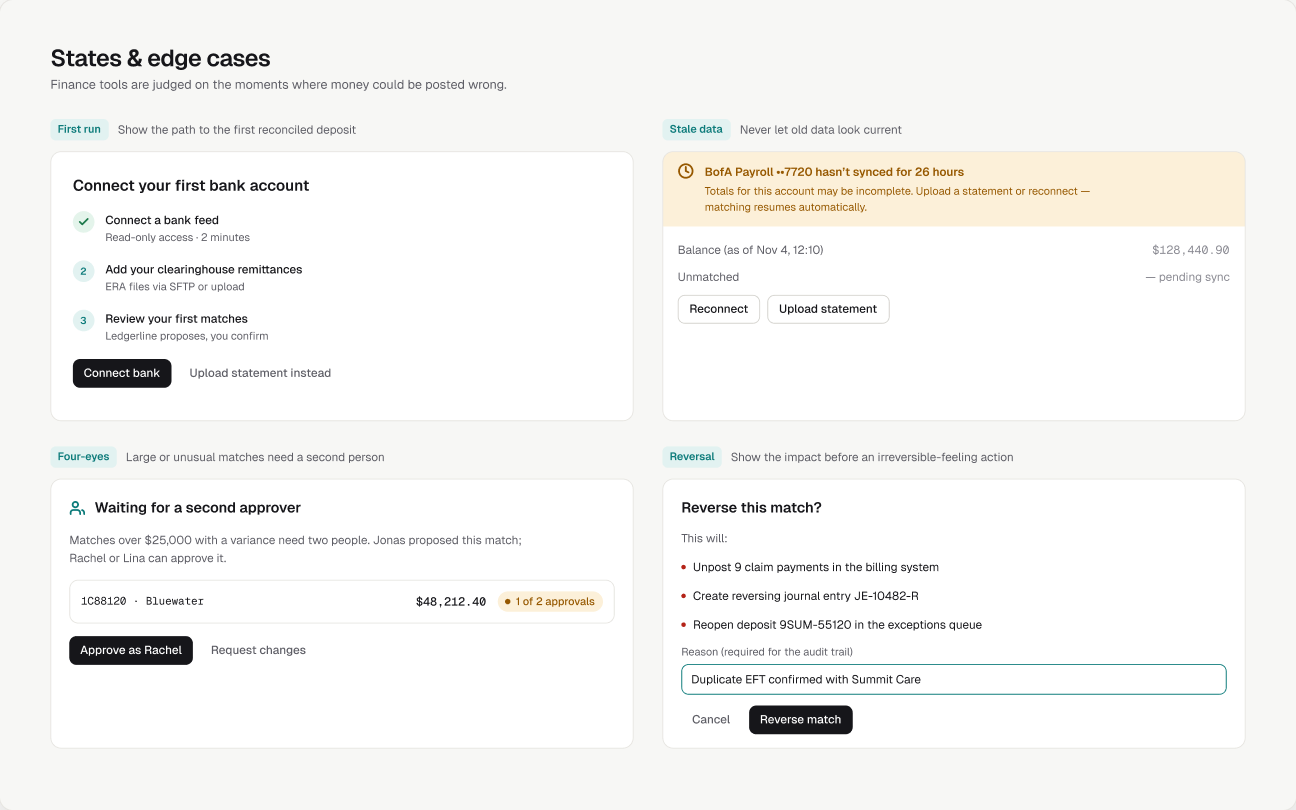
Small, explicit rules keep a dense interface consistent as it grows.
≥ 90% green, 70–89% amber, below 70% red — always shown with the number.
96% · 82% · 61%Working views never round; summaries can abbreviate but link to the exact figure.
$48,212.40Initials for people, a lightning mark for automation — in tables, timelines and approvals.
JK · ⚡As a concept, this has no live numbers — so here is what I would measure and test first.