Progress measured to the first live request
The checklist ends at “Go live”, not at “account created”. Activation is the moment a real response arrives.
Concept study · self-initiated · 2026
A developer console for an insurance-verification API, designed so a first successful request takes minutes and a failed one explains itself.
This is a self-initiated concept. The product, organisations and data are fictional; the design problems are real.
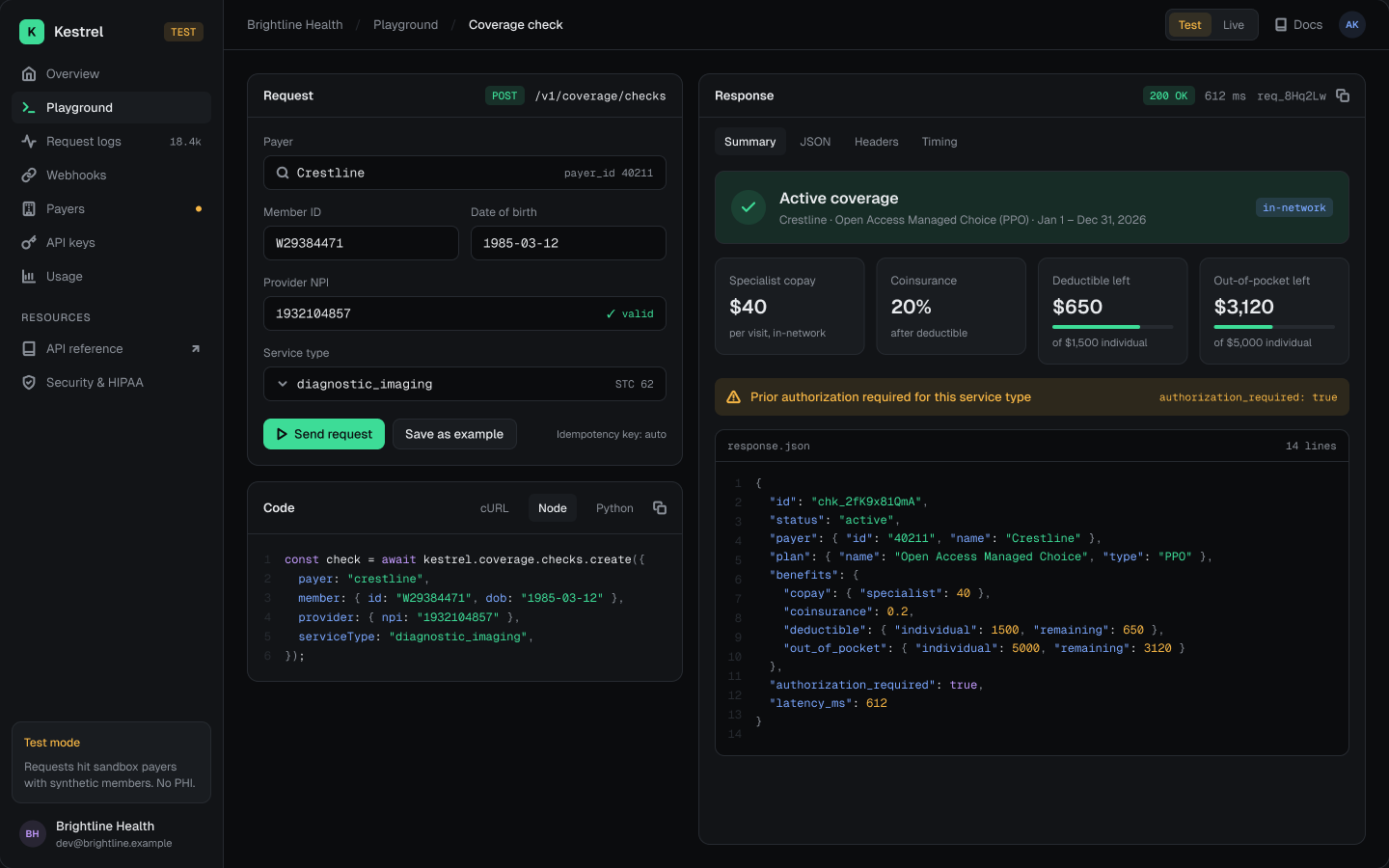
Context
Integrating with insurers is slow and opaque: every insurer has quirks, errors are cryptic and outages look like your own bug. Teams lose days before their first useful response — and support teams lose hours debugging failures for customers.
If the console explains every response — what happened, whose problem it is, and what to do — developers ship faster and need support less.
Time-to-first-request tests with 5 developers new to the domain, plus a review of real support tickets to rank which errors cause the most confusion.
Journey
Numbers refer to the chapters below. The hardest moments — first request, edge cases and failures — get the most design attention.
Get a developer from sign-up to a real, useful response in minutes.
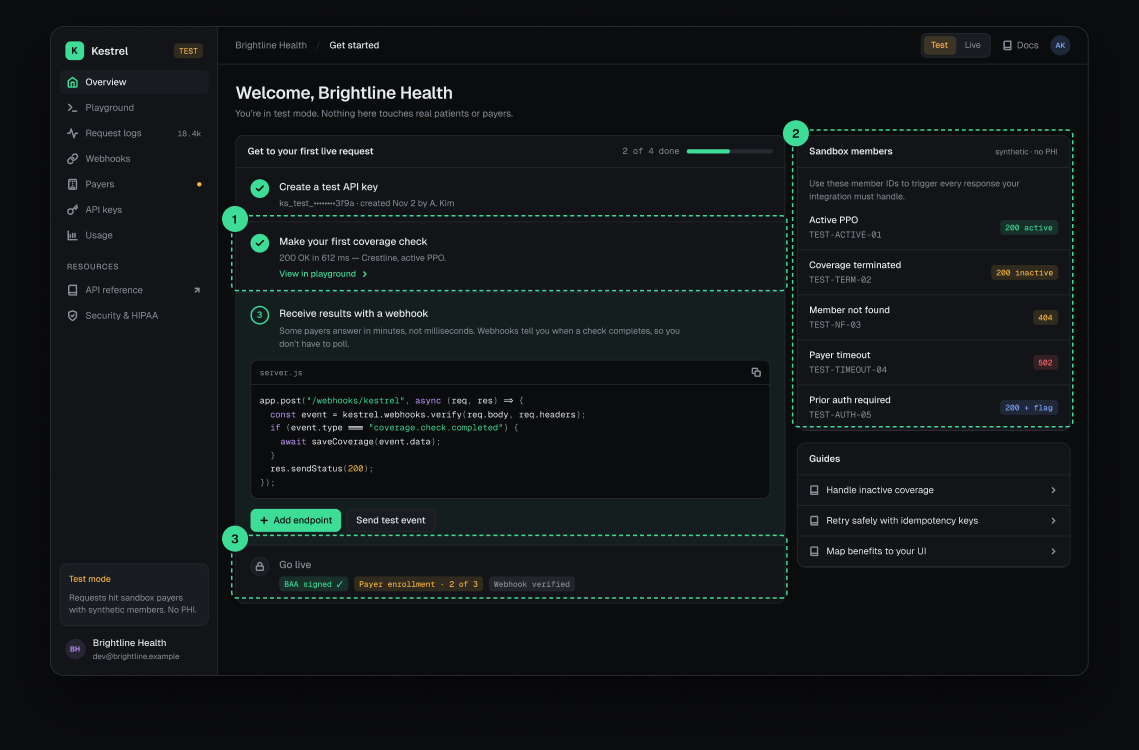
The checklist ends at “Go live”, not at “account created”. Activation is the moment a real response arrives.
Inactive coverage, unknown members and timeouts break integrations. Deterministic test IDs let developers reproduce each one on demand.
Considered insteadRandom mock data — realistic, but bugs can’t be reproduced.
Compliance steps are the slowest part of launching. Showing them early avoids a surprise at the end.
Teach the API through use instead of documentation.
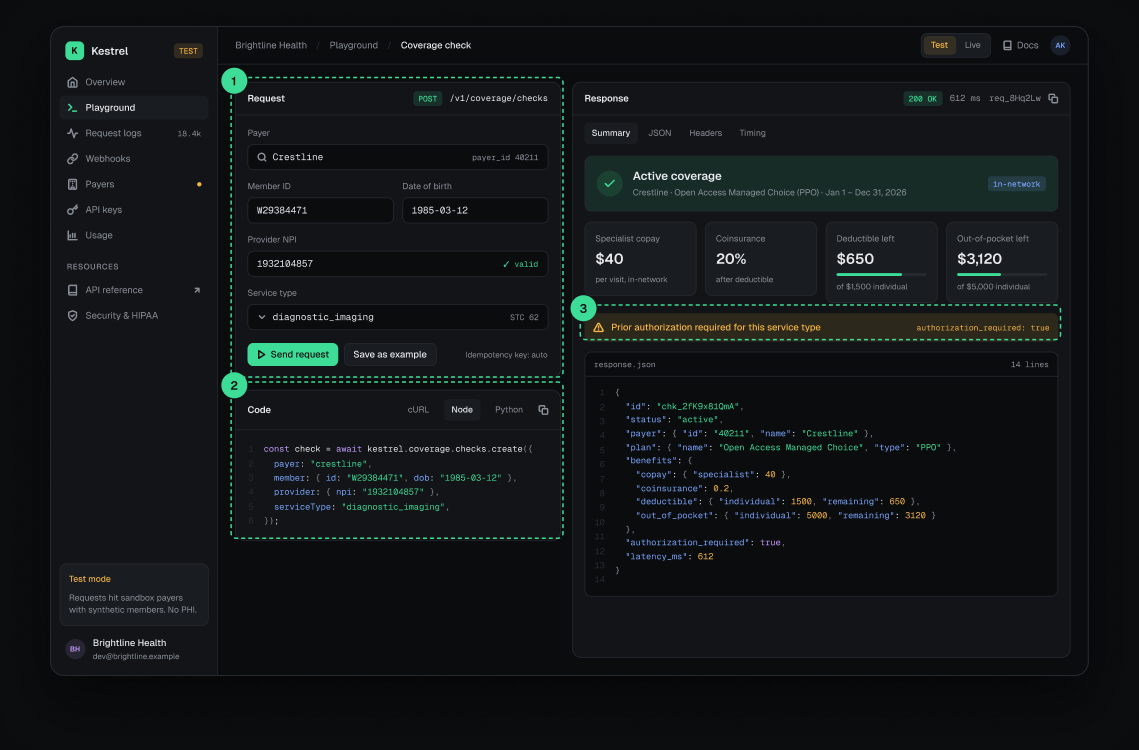
Every field edit updates the snippet, so the playground produces working code to paste.
Considered insteadA separate docs page with static examples.
A human summary for product decisions, raw JSON for implementation — neither audience has to translate.
Booleans like authorization_required change what the app must do next, so they’re surfaced as callouts.
Diagnose a failed request in seconds, without a support ticket.
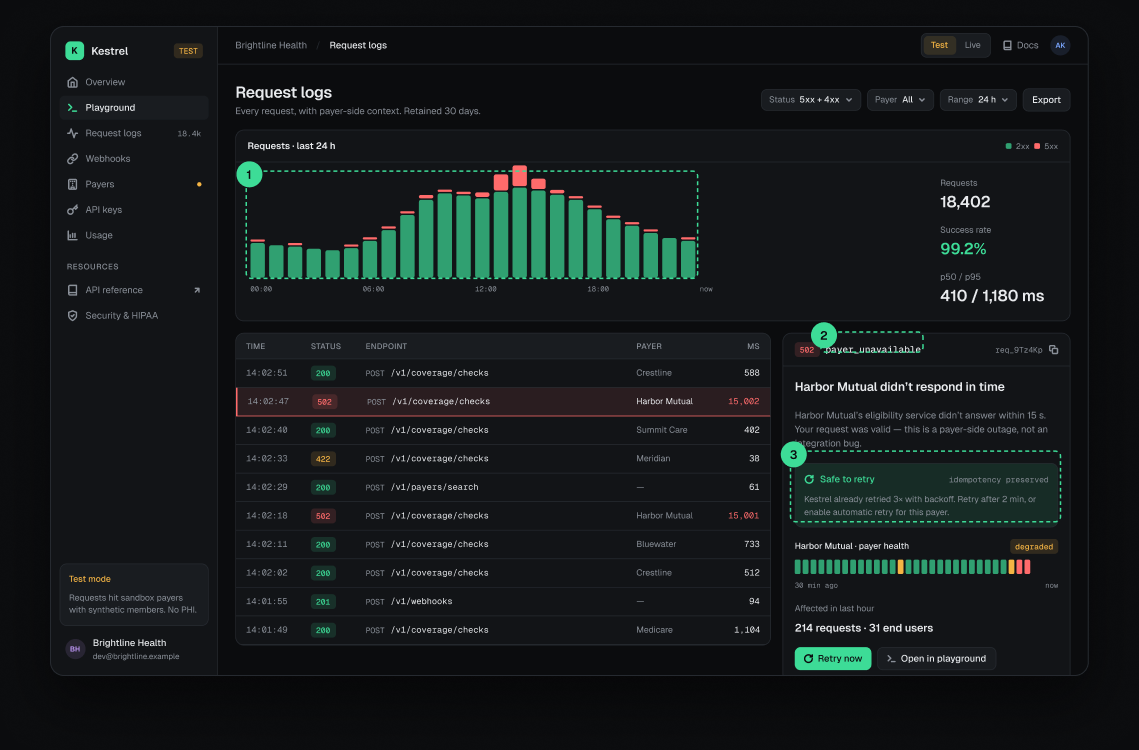
Spikes in 5xx are visible at a glance and tied to a time — usually the first clue.
payer_unavailable says more than “502”. The status code stays, but the type and a one-line explanation lead.
The two questions every developer asks after a failure are answered first, with the idempotency guarantee stated.
Considered insteadLinking to a generic error-codes page.
Make 214 different insurers feel like one reliable API.
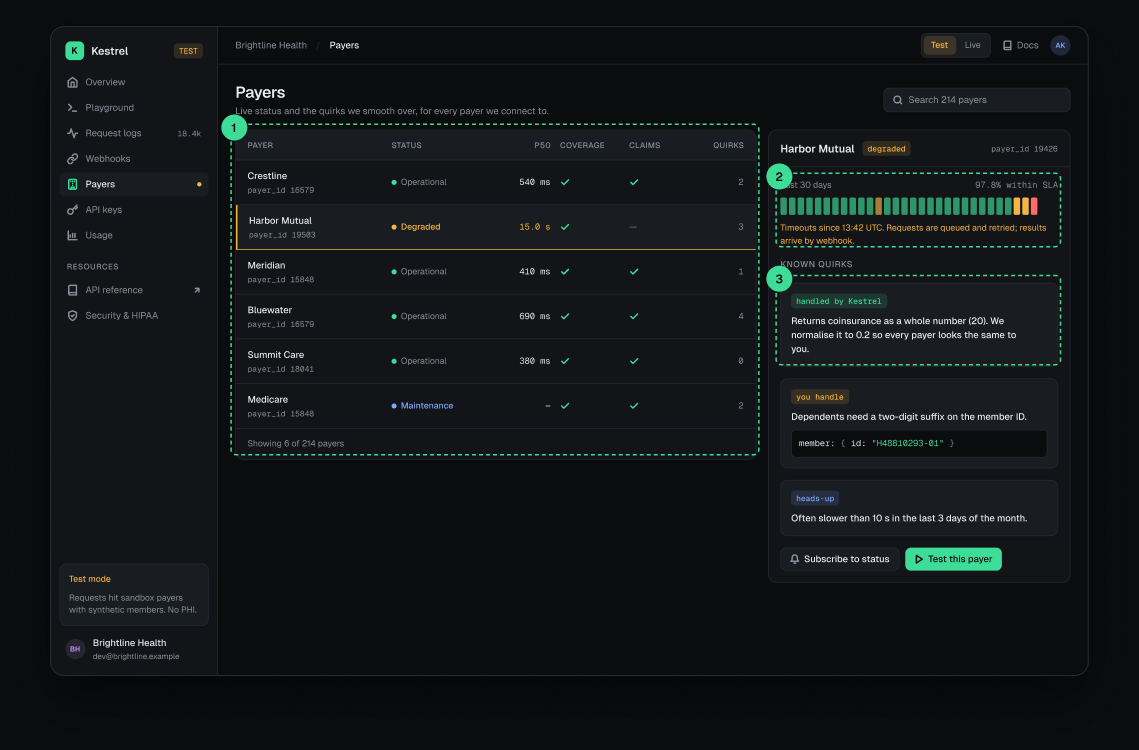
Health is shown where developers choose and debug insurers, not on a status page they’d never check.
A 30-day strip shows whether an issue is a blip or a pattern — useful when deciding to build a fallback.
“Handled by Kestrel”, “you handle” or “heads-up”: developers know exactly which differences they still need to code for.
Make async results trustworthy, even when the developer’s server fails.
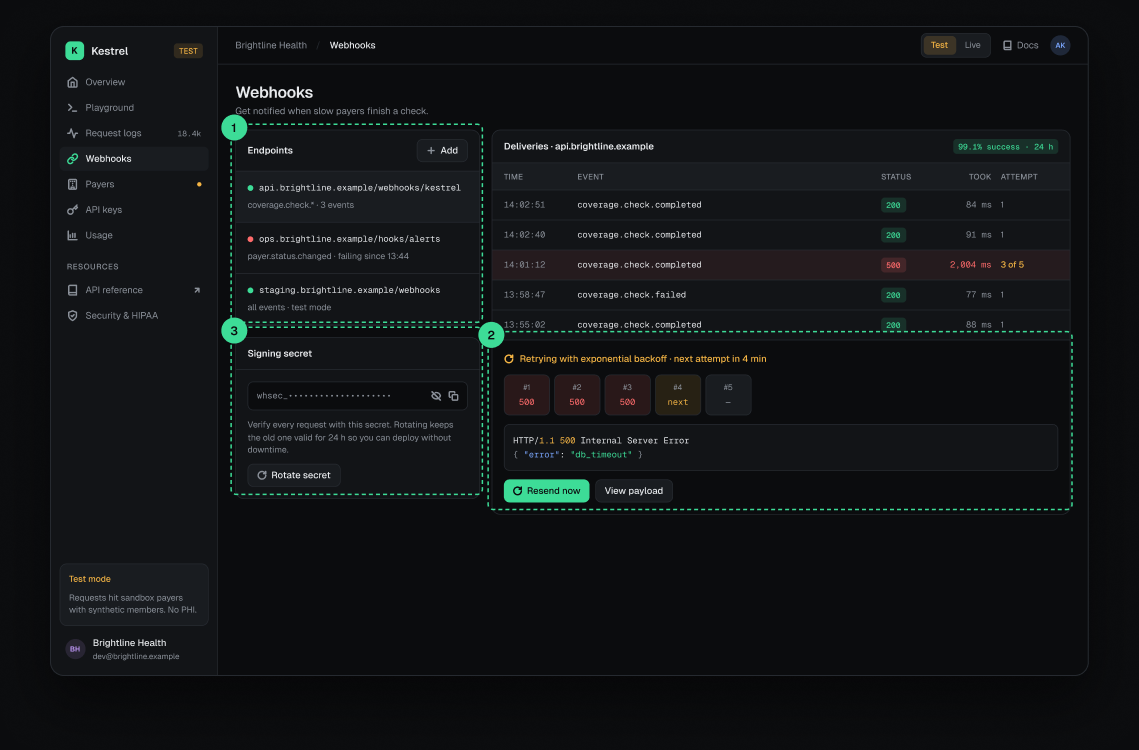
A red dot and “failing since 13:44” surface problems before customers notice missing results.
Each attempt, the response the server returned and the next try are shown — and can be resent manually.
Considered insteadA single “failed” status with no attempt history.
The old secret stays valid for 24 h, so teams can rotate without downtime.
Protect live credentials without slowing developers down.
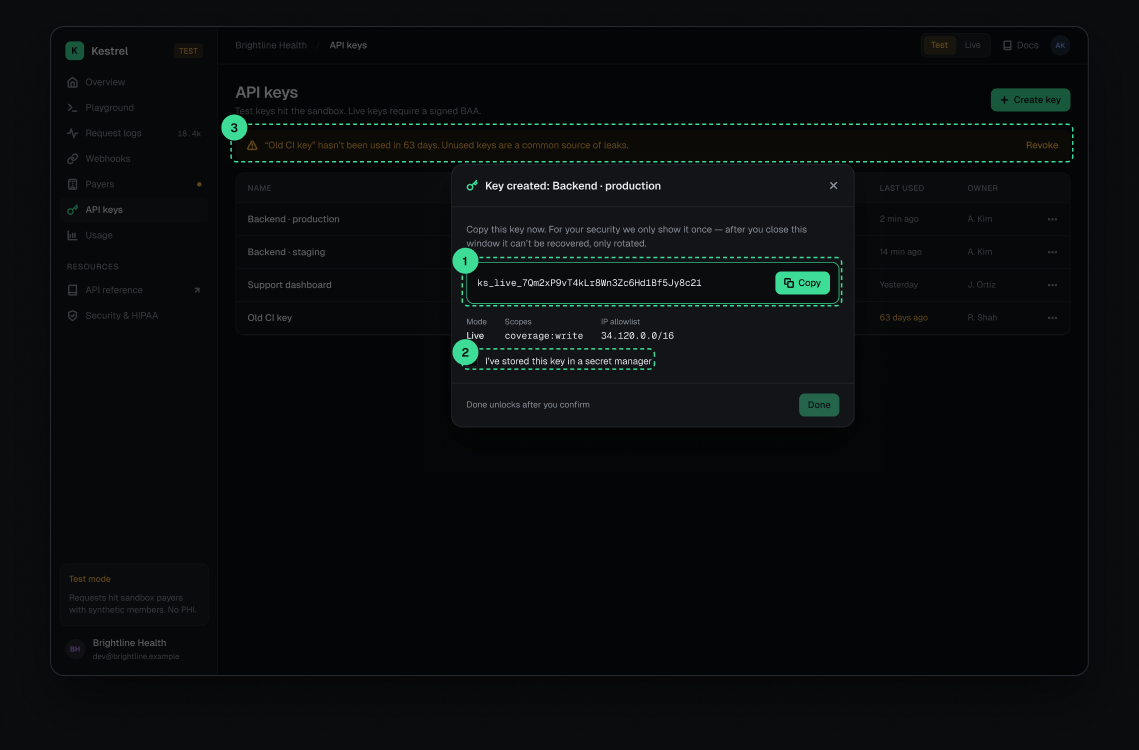
The full key appears only at creation, with copy as the primary action. It can be rotated, never recovered.
“Done” unlocks only after confirming the key is stored — one click that prevents the most common support request.
Considered insteadA warning text only — easy to skip.
Unused keys are flagged with a one-click revoke, turning a best practice into a default.
In a developer tool, errors are the product. Each one answers what happened, whose problem it is, and what to do next — in the UI and in the JSON.
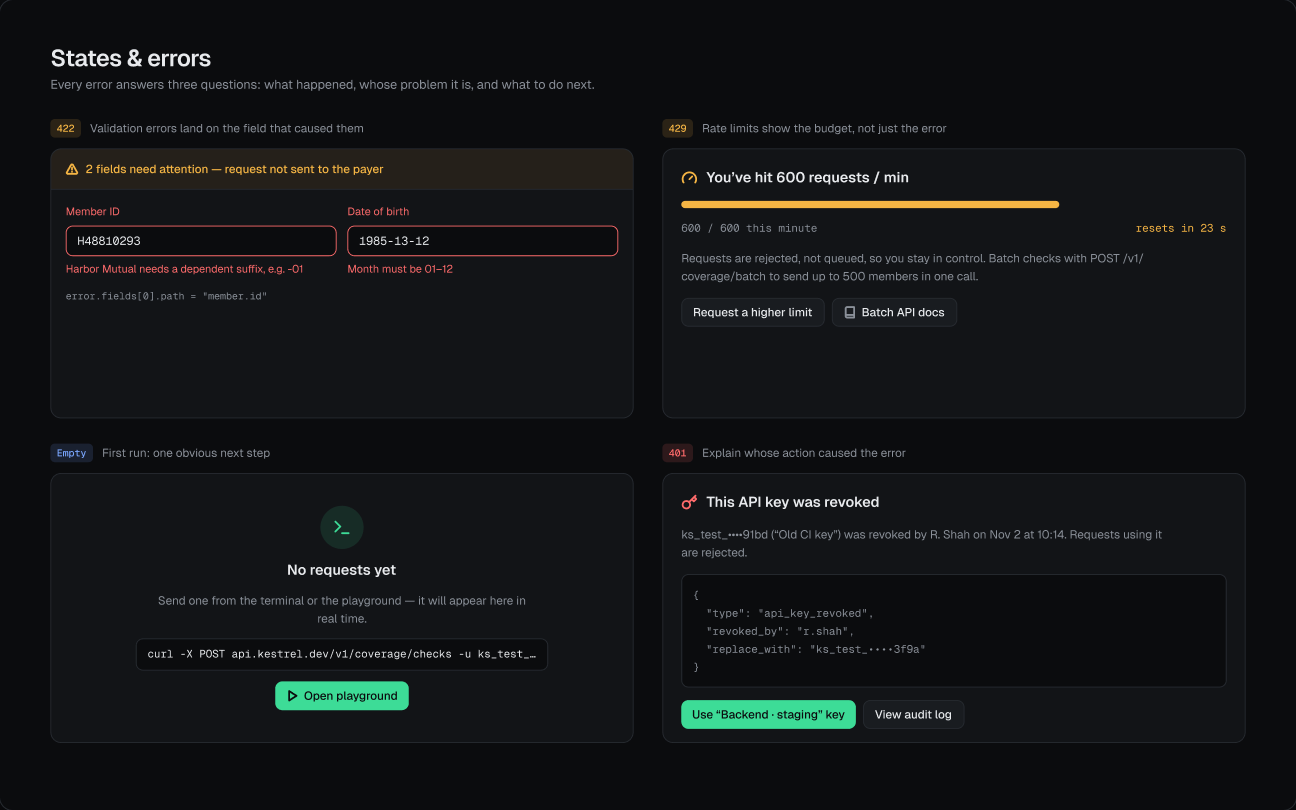
Small, explicit rules keep a dense interface consistent as it grows.
Green = success. Amber = your request or account. Red = the insurer or our infrastructure.
2xx · 4xx · 5xxIDs, keys, codes and JSON can be scanned, compared and copied without ambiguity.
req_9Tz4KpSummaries never replace the data: exact JSON, headers or attempts are always one step away.
Summary · JSON · HeadersAs a concept, this has no live numbers — so here is what I would measure and test first.